
Editing a team
Overview
You can change a team’s name or identifying color at any time.
How to edit a team
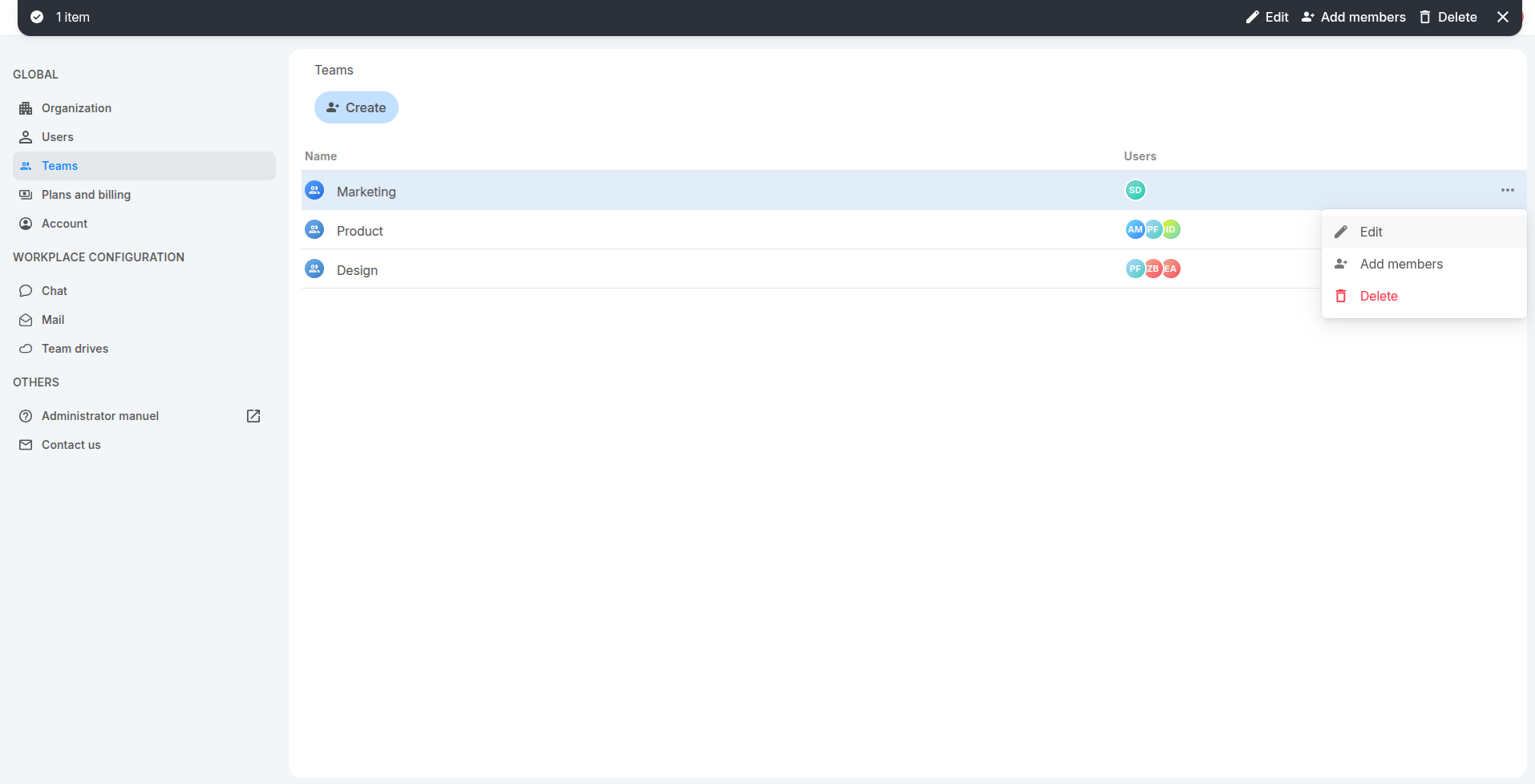
From the Teams page
- Go to Teams.
- Select the team you want to update.
- Click Edit in the action bar at the top of the page, or click 3-dot button of the team then select option :"Edit"
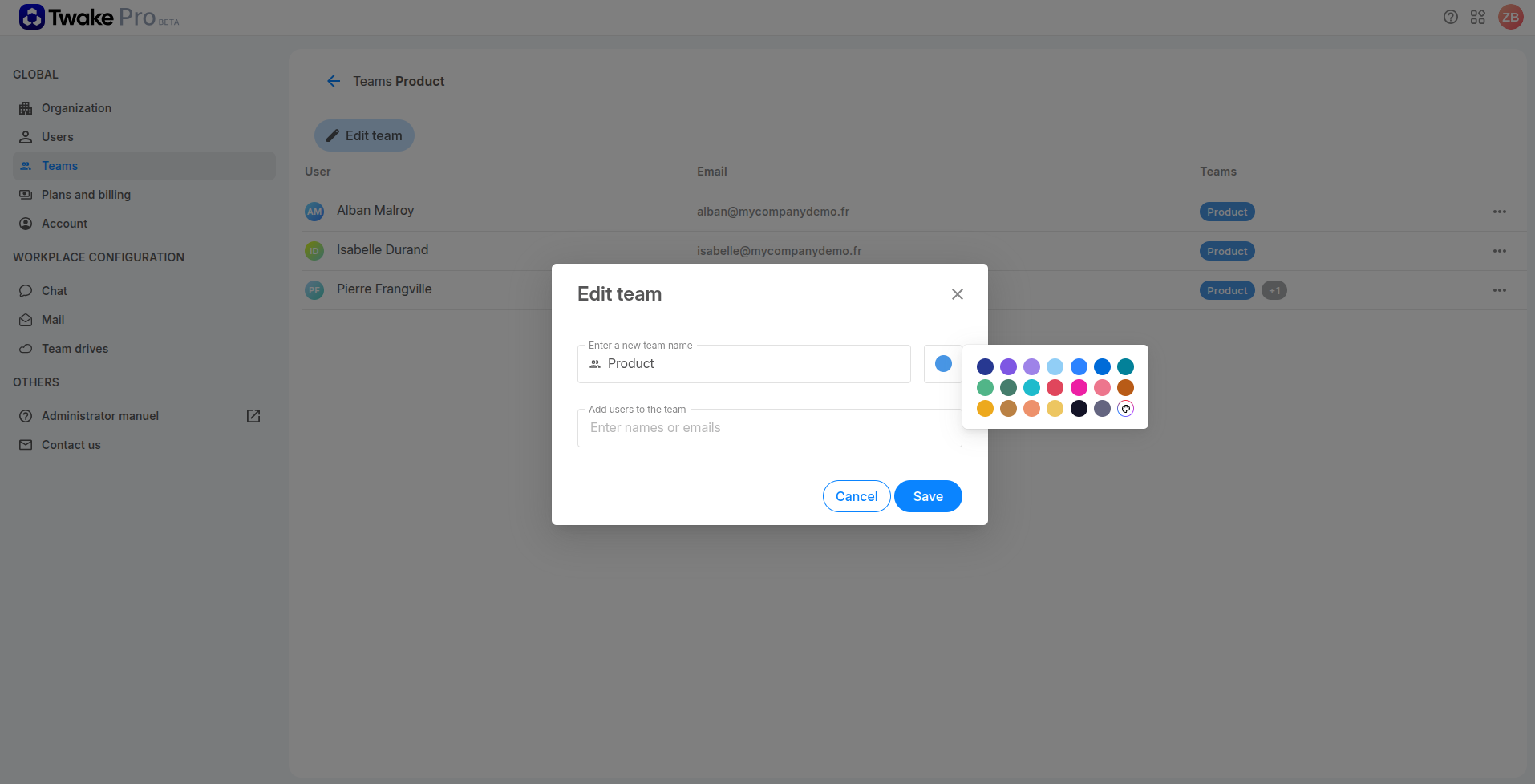
- Update the team name or select another color, or add members to the team
- Click Save.
From the team details
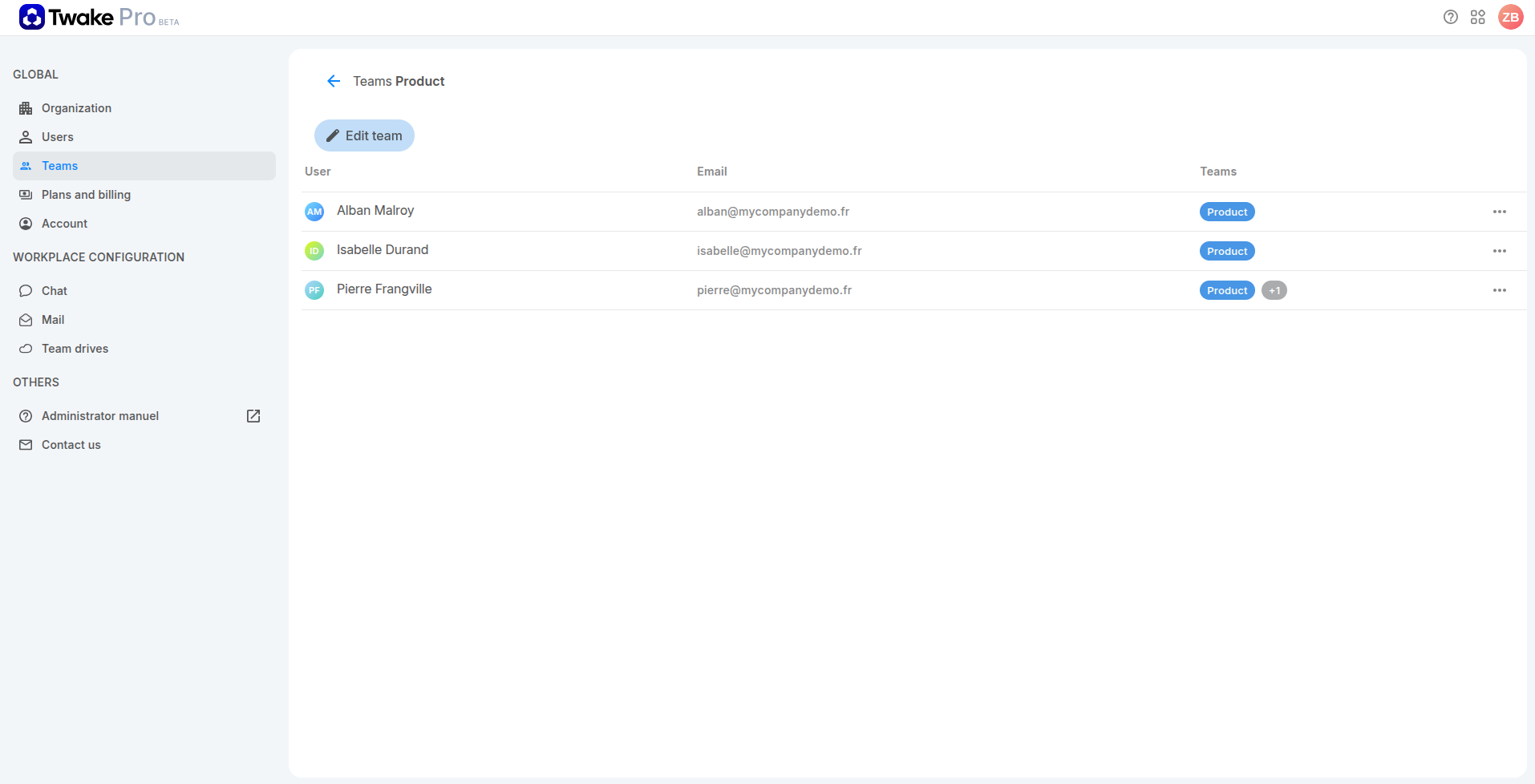
- Go to Teams.
- Double-click the team’s name to open it.
- Click Edit team.
- Update the team name or color, or add members to the team
- Click Save.
💡
Changes take effect immediately.