
Creating a team
Overview
Teams let you organize members by department, project, location, or another group within your organisation.
Owners and Administrators can create teams from the Business dashboard.
How to create a team
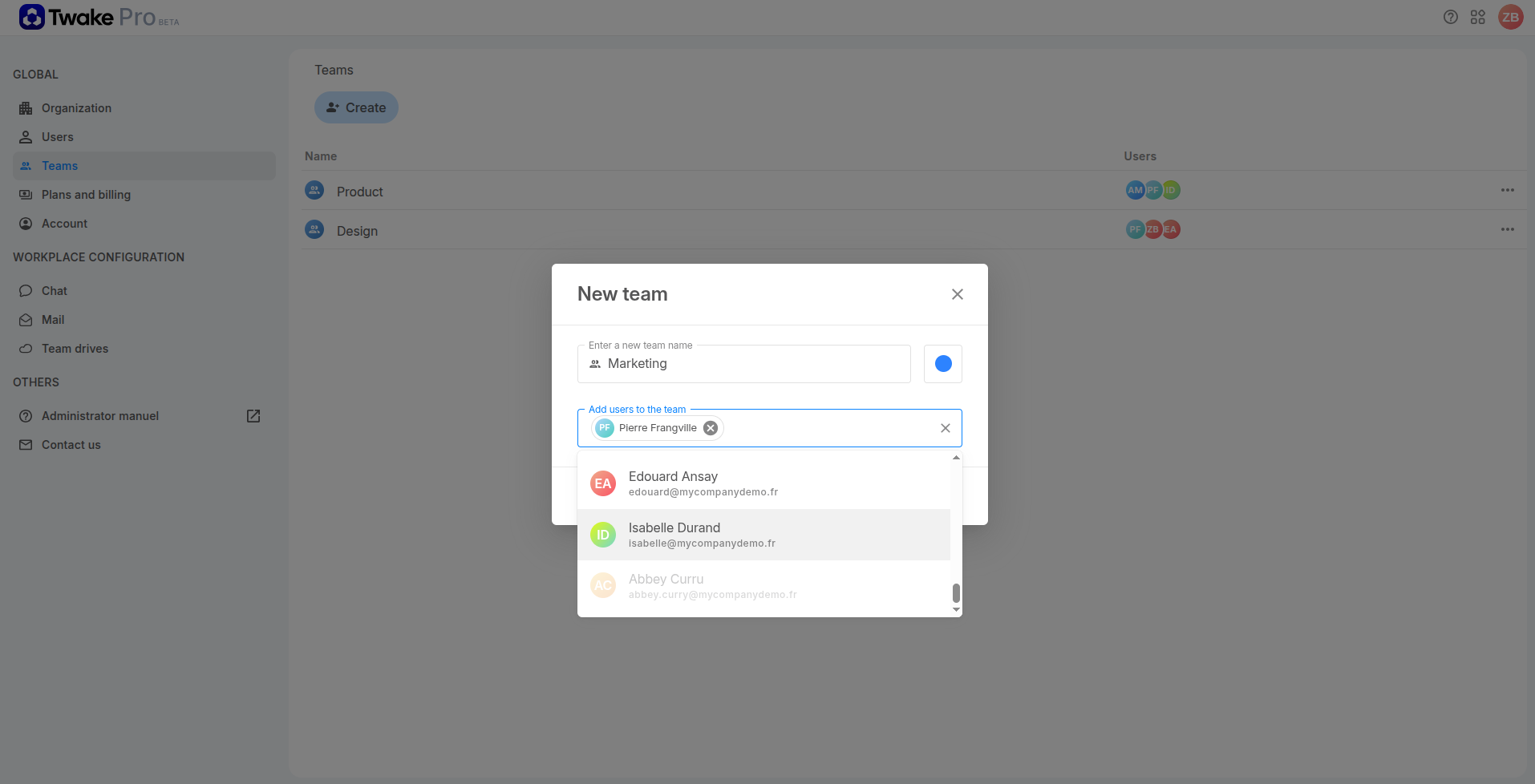
- Go to Teams.
- Click Create.
- Enter a name for the team.
- Click the color button and select a color to identify the team.
- In Add users to the team, search for members by name or email address.
- Select the members you want to add.
- Click Save.
The new team appears on the Teams page.
💡
You can create a team without adding members and add them later.
Frequently asked questions
Why can’t I select a user?
The user may not have accepted their invitation yet. Only active users who have joined your organisation can be selected.
Ask the user to accept the invitation and activate their account. You can then add them to the team.
Can I add someone who has not been invited to the organisation?
No. You must first create the user from the Users page. After the user accepts the invitation and joins the organisation, you can add them to a team.
Can a member belong to several teams?
Yes. An active member can be assigned to multiple teams.