
Deleting a team
Overview
Deleting a team permanently removes the team from the Business dashboard.
⛔ Deleting a team cannot be undone. Check that you selected the correct team before confirming.
How to delete a team
- Go to Teams.
- Select the team you want to remove.
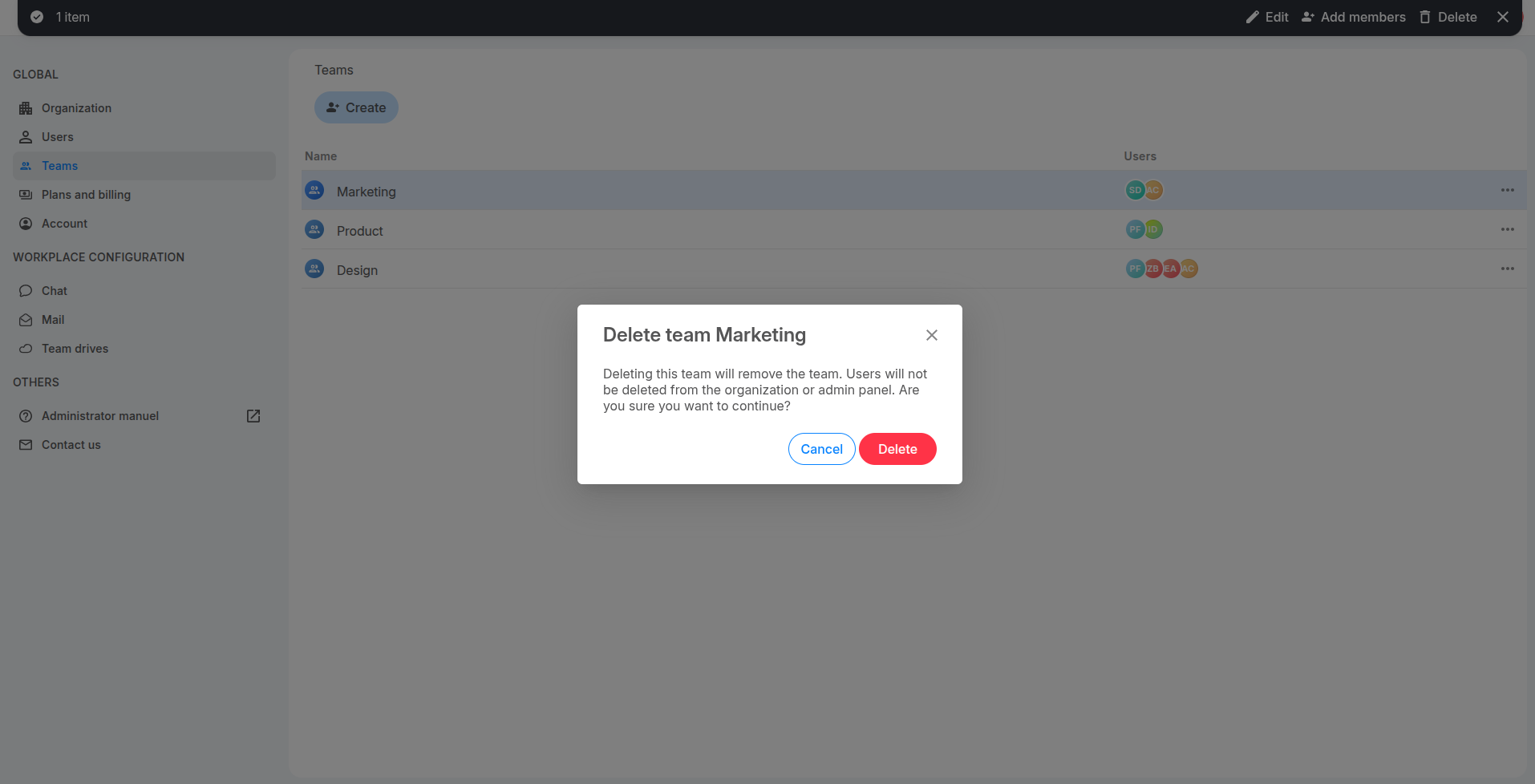
- Click Delete in the action bar at the top of the page or click 3-dots button of the team then select option "Delete"
- Review the confirmation message.
- Click Delete to confirm.
What happens after deletion
- The team disappears from the Teams page.
- Its team assignments are removed from the affected users.
- The users remain members of your organisation.
- Their organisation accounts are not deleted.
- Users remain assigned to any other teams they belong to.
Frequently asked questions
Does deleting a team delete its members?
No. It only deletes the team. The users remain available from the Users page.
Can I restore a deleted team?
No. You must create the team again and reassign its members.